





Specification

Overview

Choose Operating System

MAC OS

,

Windows OS

Supported MAC OS Version

OS 11 OR Higher

Supported Windows Version

Windows 10 or 11

Ram

8GB

Hard Drive

3.9GB

Format

AU,VST,VST3

Ableton Live Suite 12.4.1

(9 customer reviews)

Download Ableton Live Suite 12.4.1 for Windows and macOS. Create, record, mix and perform with professional instruments, effects, Max for Live, MIDI tools and an intuitive workflow. Instant download.

Try Our Service Full Version Plug-ins Free

Current price:

£58.99

Supported DAW

17 People watching this product now!

Payment Methods:

  • Direct 100% Secure Download

Feel free to download from our ultra-fast dedicated servers located worldwide, ensuring maximum download speed

  • Instant Download

Gain instant access with no waiting time, direct downloads, no ads, and no torrents

  • Future Free Updates

Keep your software up-to-date to ensure compatibility with Apple's latest macOS or WindowsOS, with our free lifetime updates

  • Lifetime Warranty & Customer Support
  • Free 7-Day Full Refunds

Description

Ableton Live Suite 12.4.1

Ableton Live Suite 12.4.1 – Professional Music Production Software

Ableton Live Suite 12.4.1 is the complete edition of Ableton’s professional digital audio workstation (DAW), designed for music producers, composers, DJs, and sound designers. Whether you’re recording vocals, creating beats, composing cinematic music, or performing live, Live Suite provides a powerful workflow with advanced instruments, effects, MIDI tools, and creative features.

Version 12.4.1 includes bug fixes and compatibility improvements over 12.4, along with support for additional control surfaces, making production more stable and efficient. It builds on the major 12.4 update, which introduced features such as Link Audio collaboration, improved Stem Separation, Learn View, and enhanced audio effects.

Ableton Live Suite 12.4.1 Features

  • Professional DAW for recording, editing, mixing, and mastering
  • Session View and Arrangement View workflows
  • Max for Live included
  • Premium virtual instruments
  • Professional audio effects
  • MIDI editing and automation
  • Advanced sampling and warping
  • Unlimited audio and MIDI tracks
  • Built-in sound library
  • Support for VST and AU plugins
  • Real-time performance tools
  • Fast workflow for music production

Create, edit, perform, and explore—Ableton Live 12 Suite has all the tools to bring your musical vision to life. Whether you’re a seasoned pro or just starting out, Live offers unmatched flexibility and power to help you take your sound further. 🌟

What’s New:

  • Max for Live integration for even more control 🎚️
  • Audio to MIDI conversion for seamless creativity 🔄
  • Drum Buss & Podal for richer sound shaping 💥
  • Full track automation & instant MIDI mapping for smooth workflows ⏩
Play video: A look at some of the highlights of Live 12

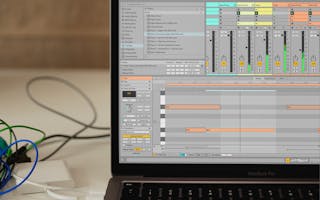
Ableton Live Suite 12.4.1 Interface

Find out what’s possible in Live 12

Play freely with ideas

Play video: A demonstration of the new MIDI Tools

Ableton Live Suite 12.4.1 Session View

Reshape MIDI patterns

Apply a variety of simple or complex variations to your MIDI clips with new MIDI Transformations. Add ornaments and articulations, draw acceleration and deceleration curves, connect successive notes and chords, simulate the strum of a guitar, and more.

Generate inspiration

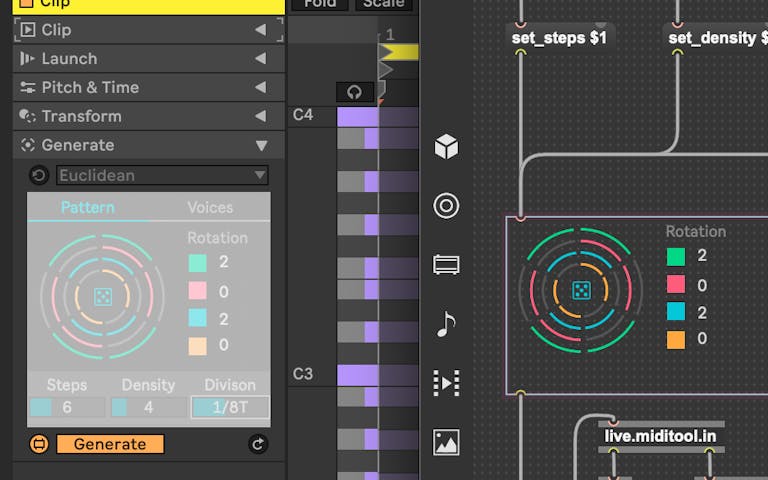
Conjure up melodies, chords and rhythms with the help of new MIDI Generators. Set constraints and let your chosen Generator create playful and original ideas for you to develop and turn into your own.

Transform and generate MIDI with new Max for Live tools

Do more with Max for Live

Try out additional Max for Live Transformations and Generators that give you deeper ways of working with MIDI, or go even further by building new ones.

Play video: See how to work with tuning systems in Live

Ableton Live Suite 12.4.1 MIDI Tools

Embrace and explore tunings

Follow your preferred tuning systems or try different ones more easily. Work outside the 12-tone equal temperament system, and access tunings with Live’s devices as well as any MPE-capable plugin.

Play video: A quick look at the new Keys and Scales feature

Ableton Live Suite 12.4.1 Meld Synth

Stay in key

Choose a scale in Live’s Control Bar to see its notes in any MIDI clip you create. Then transform or generate ideas within the confines of the selected scale, or sync the scale of MIDI devices and instruments to the clip being played.

Some of the MIDI editing improvements in Live 12

Edit MIDI more easily

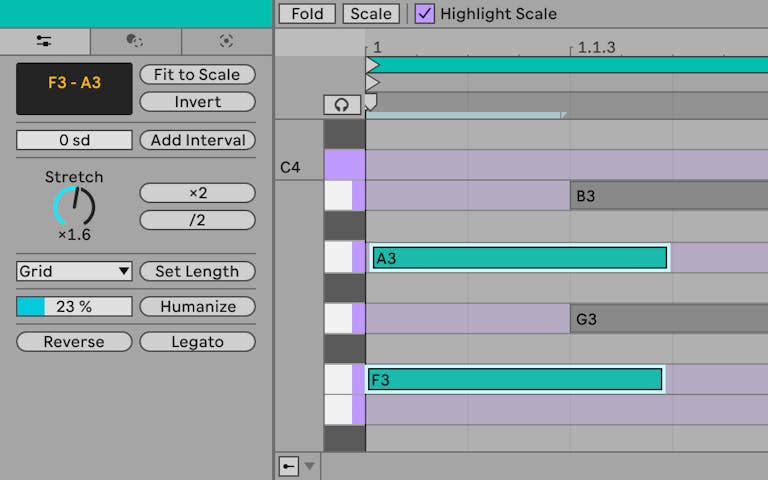
Use keyboard and mouse operations to edit MIDI in new ways. Split a note in two, or chop it into several parts. Select a set of notes and join them together, or make them fill a selected time range. And access more tools from the Note Utilities panel on the left.

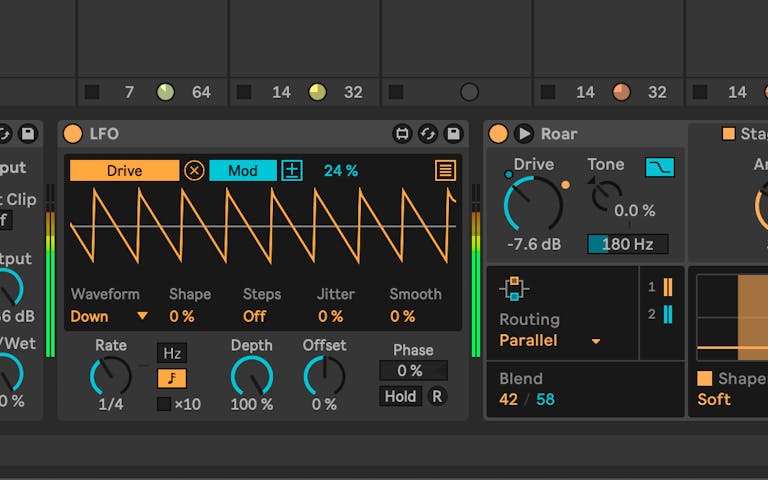
A screenshot showing the new modulation behaviour of Max for Live devices

Modulate more flexibly

Stay in control of a parameter, even after it’s been mapped to a modulation source; Max for Live devices like LFO, Shaper and Envelope Follower now let you freely adjust a destination that’s being modulated.

Surprise yourself with the sounds you create

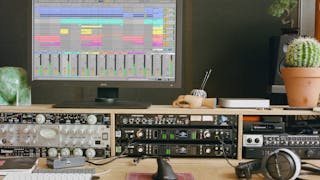
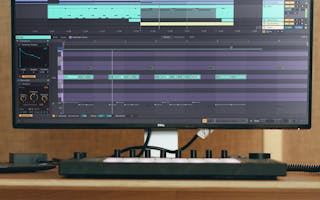
A creative space complete with Push, speakers and a monitor displaying one of Live’s new Stacked Detail Views.

Lose yourself in Meld

Live’s new MPE-capable synthesizer is designed for sound variety, playfulness and character. Equipped with twin oscillators and an extensive modulation matrix, Meld excels at textural soundscapes, harmonic and atonal sounds, and rhythmic drones.
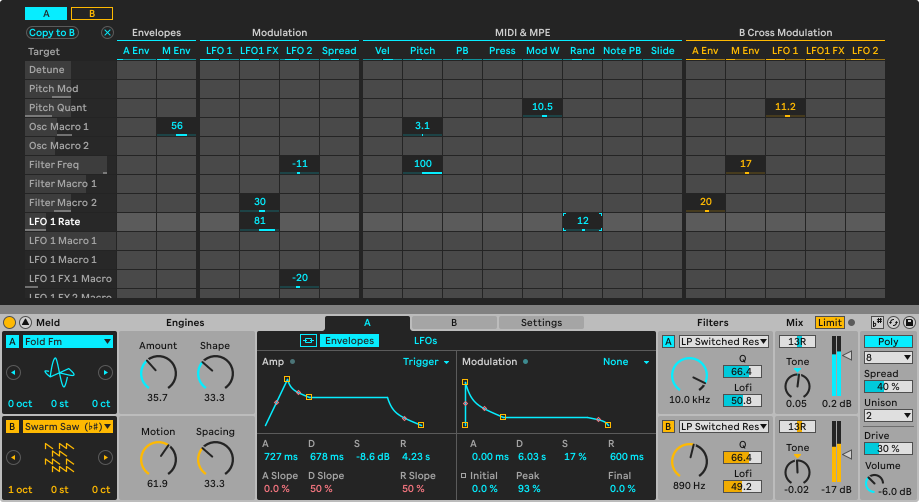
Explore Meld’s full modulation matrix, oscillators, LFOs and other parameters

Program Meld’s dual oscillators with dedicated LFOs and an extensive modulation matrix

Use Meld’s oscillator presets, Engines and twin LFOs

Each of Meld’s oscillator presets comes with two Engines parameters, carefully chosen for maximum sound design versatility

Listen to more sounds from Meld

Ableton Live 12 System Requirements

Windows

  • Windows 10 (64-bit) or Windows 11
  • Intel Core i5 or AMD Ryzen processor
  • 8 GB RAM minimum (16 GB recommended)
  • 6 GB free disk space
  • Internet connection for activation

macOS

  • macOS 11 Big Sur or later
  • Apple Silicon or Intel processor
  • 8 GB RAM minimum
  • 6 GB free storage
  • Internet connection for activation

Ableton Live Suite 12 FAQ

Is Ableton Live Suite 12.4.1 suitable for beginners?

Yes. It provides an intuitive interface while offering advanced tools for professional producers.

Does it include Max for Live?

Yes. Ableton Live Suite includes Max for Live, allowing you to build custom instruments, effects, and creative devices.

Can I use VST plugins?

Yes. Live Suite supports VST plugins on Windows and Audio Units (AU) on macOS.

What’s new in version 12.4.1?

Version 12.4.1 adds support for more control surfaces and fixes issues related to Link Audio, crash recovery, and the Windows video window, improving stability after the 12.4 feature update.


Download Ableton Live Suite 12

Download Ableton Live Suite 12.4.1 and unlock a complete music production environment with powerful instruments, professional effects, Max for Live, advanced MIDI tools, recording, mixing, mastering, and live performance features. Perfect for beginners and professional producers looking for a complete DAW solution.
Customer Reviews

9 reviews for Ableton Live Suite 12.4.1

5.0
Based on 9 reviews
5
100
100%
4
0%
3
0%
2
0%
1
0%
  1. Usher

    Absolutely loving all the new features in this latest version, definitely worth the upgrade!

  2. BruceSpringsteen

    The software was easy to navigate and I loved the variety of tools available, but I did experience some technical glitches during recording.

  3. Madonna

    The software is user-friendly and has a lot of great features, but the price point is a bit high for what you get.

  4. MichaelJackson

    I love the intuitive interface and the wide variety of instruments and effects included – definitely worth the investment!

  5. PostMalone

    I’ve been using this music production software for a few months now and I have to say, it has really taken my creativity to the next level. Easy to use and intuitive interface makes it a breeze to create music.

  6. LilNasX

    I love the seamless integration of all the features, but the learning curve was a bit steep for me!

  7. JamesBrown

    I am blown away by the features and ease of use, definitely worth the investment!

  8. LadyGaga

    This program has really upped my game as a musician, but the learning curve was a bit steep. Overall, I’m satisfied with my purchase.

  9. TylerTheCreator

    I was hesitant at first, but after using it for a while, I could not be more satisfied with the features and ease of use!

Add a review

Your email address will not be published. Required fields are marked *