




Music Production Tips for Composers (Pro Workflow Guide)

Professional music production tips for composers include optimizing your workflow, using orchestral VST plugins effectively, mastering MIDI articulation, and layering cinematic textures for depth and realism.
Build a Professional Composition Workflow
A structured workflow improves productivity. Start with:
✔ Template-based DAW setup
✔ Organized orchestral tracks
✔ Pre-routed MIDI articulation
✔ Bus processing for strings, brass, percussion
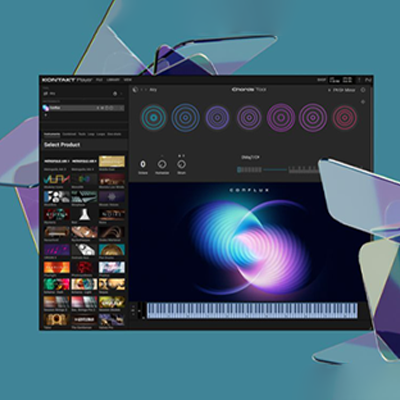
Using tools like Kontakt 8 and Omnisphere allows faster scoring.
Use High-Quality VST Plugins
Professional composers rely on:
- Kontakt sampler plugin
- Cinematic orchestral libraries
- Hybrid synth engines
- Advanced MIDI automation tools
Quality libraries reduce mixing time and increase realism.
Master Articulation & Expression
Expression control is critical for orchestral realism.
Learn:
- Mod wheel automation
- Velocity layering
- Key switch management
- Legato vs staccato transitions
These techniques transform MIDI into expressive orchestral performance.
Layering for Cinematic Depth
Layer:
- Strings + synth pads
- Brass + hybrid impacts
- Choir + reverb tails
Omnisphere is excellent for hybrid layering.
Mixing & Spatial Placement
- Use reverb for orchestral depth
- Pan strings left/right
- Keep brass center-focused
- Control low-end percussion
If you’re serious about improving your music production workflow, now is the time to apply these professional music production tips for composers. From mastering orchestral composition techniques to using high-quality VST plugins like Kontakt and cinematic instrument libraries, the right tools and workflow can transform your scoring process. Whether you’re working on film scoring, game soundtracks, or hybrid orchestral tracks, upgrading your virtual instrument setup will dramatically improve realism and efficiency.
our professional VST plugins and start composing with industry-standard tools today.
Using templates, professional VST plugins, and articulation automation significantly improves workflow speed.
Many professionals use Kontakt, Omnisphere, orchestral sample libraries, and hybrid cinematic tools.
Use velocity variation, articulation switching, modulation automation, and realistic reverb.
Key Takeaways
- Optimize your music production workflow by using templates, organized tracks, and pre-routed MIDI articulation.
- Utilize high-quality VST plugins like Kontakt and cinematic libraries for better realism and efficient mixing.
- Master articulation techniques like mod wheel automation and velocity layering for expressive MIDI performances.
- Layer different instruments, such as strings and synth pads, to create cinematic depth.
- Incorporate mixing techniques like panning and reverb for spatial placement and orchestral depth.