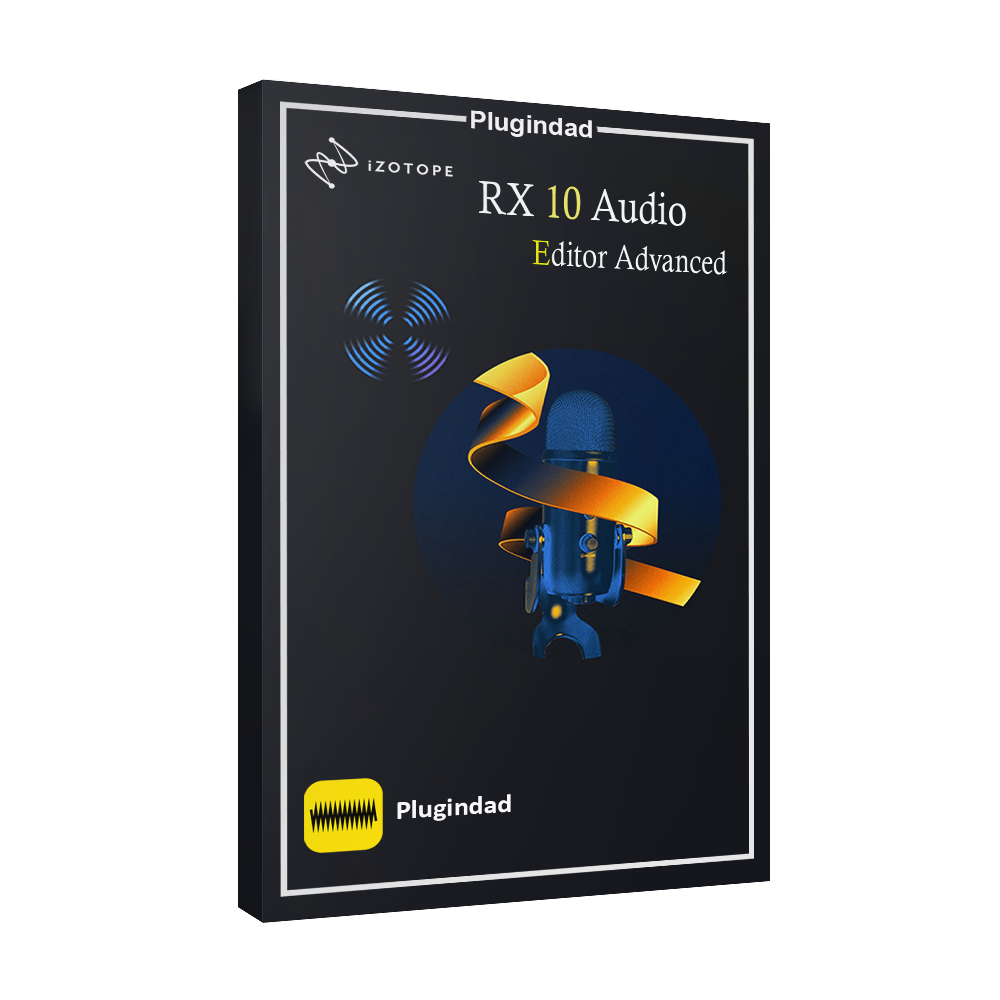
iZotope RX 10 Audio Editor Advanced – The Industry’s Most Powerful Audio Repair Suite
The iZotope RX 10 Audio Editor Advanced is a professional audio restoration and repair software used to remove noise, fix damaged recordings, and enhance sound quality. Developed by iZotope, it provides advanced tools such as spectral editing, dialogue repair, and AI-powered noise reduction for music production, podcast editing, and film post-production.
NEW! Repair Assistant – One-click audio cleanup inside your DAW NEW! Text Navigation – Automatically transcribe dialogue for faster editing NEW! Multiple Speaker Detection – Identify & label different voices in recordings Improved Spectral Recovery – Restore clarity to low-quality audio Fast, intuitive workflow – Save time with cutting-edge AI processing
Product Description
The iZotope RX 10 Audio Editor Advanced is considered one of the most powerful audio repair tools used by sound engineers, filmmakers, and music producers. The software allows users to clean up recordings, remove unwanted background noise, and restore damaged audio files with professional precision.
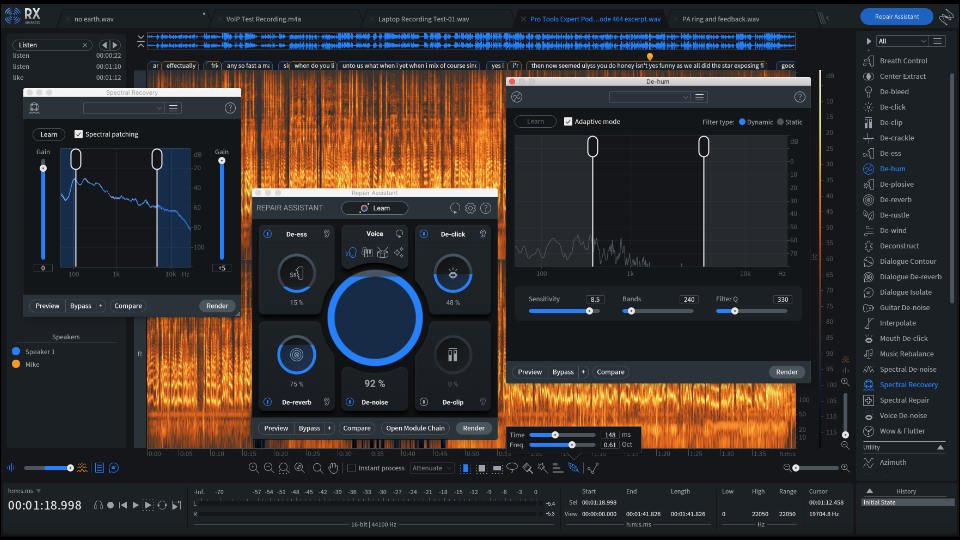
RX 10 Advanced introduces intelligent audio repair technologies designed to simplify complex editing tasks. Features such as Repair Assistant use machine learning to automatically detect problems and apply the best repair settings for your audio recording.
Another important feature is Text Navigation, which automatically transcribes dialogue and allows editors to navigate audio using text. This feature is extremely useful for podcast editors, interview recordings, and film dialogue editing.
The software also includes Multiple Speaker Detection, enabling users to identify different speakers in recordings. This makes editing conversations or panel discussions significantly easier.
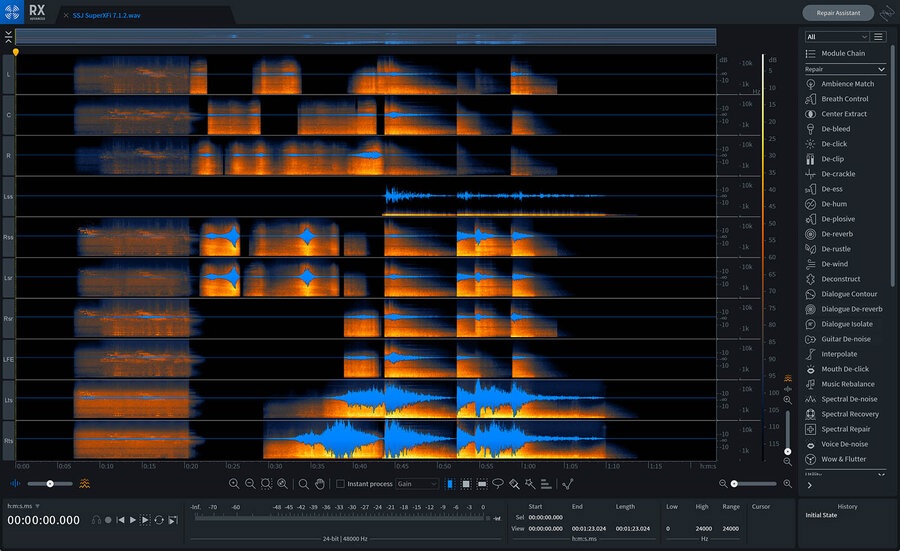
One of the most powerful capabilities of RX 10 Advanced is spectral audio editing. ThisK to visually edit frequencies in an audio spectrogram, making it possible to remove clicks, hums, distortion, and other unwanted artifacts while preserving the natural tone of the recording.
Because of these advanced restoration tools, RX software has become a standard in professional audio post-production workflows. Whether you are restoring old recordings, cleaning up noisy podcasts, or repairing dialogue tracks for film production, RX 10 Advanced provides reliable and precise audio restoration capabilities.
Key Features
AI-Powered Repair Assistant
Automatically detects audio problems and applies intelligent repair processing.
Text Navigation for Dialogue Editing
Convert speech to text and edit recordings faster using searchable dialogue transcripts.
Multiple Speaker Detection
Identify and label speakers in multi-voice recordings for easier editing.
Spectral Audio Editing
Edit sound frequencies visually to remove unwanted noise and audio artifacts.
Advanced Noise Reduction
Eliminate hum, clicks, distortion, and background noise from recordings.
Faster Workflow, Smoother Navigation
Time is money, and RX 10 helps you edit faster than ever with: ✔️ Dynamic noise reduction for clean, polished sound ✔️ AI-powered de-hum, de-click, and de-reverb tools ✔️ Easy audio isolation & removal of unwanted sounds ✔️ Customizable spectral editing for precise control
System Requirements
To run iZotope RX 10 Audio Editor Advanced, your system should meet these requirements:
Windows 10 / Windows 11 or macOS Catalina or later
Minimum 4GB RAM (8GB recommended)
Compatible DAW supporting VST3, AU, or AAX plugin formats
Internet connection for installation
The software integrates with major DAWs such as Ableton Live, Pro Tools, Cubase, and FL Studio.
How to Use iZotope RX 10
Step 1: Install RX Software
Download and install the RX 10 Audio Editor Advanced on your system.
Step 2: Import Audio File
Open the RX editor and load the audio file you want to repair.
Step 3: Identify Audio Problems
Use the spectral editor to visualize noise, clicks, distortion, or unwanted sounds.
Step 4: Apply Repair Tools
Use tools such as De-Noise, De-Click, De-Hum, or Dialogue Repair modules.
Step 5: Export Clean Audio
Export the restored audio file for use in your music or video project.
Why Professionals Trust RX
For years, iZotope has been a leader in audio technology, developing professional tools used by studios worldwide.
The RX suite is widely recognized in film production, podcast editing, and music mixing because of its precise restoration algorithms and advanced audio editing features.
Because of this reputation, many professional sound engineers rely on RX tools to restore damaged recordings and improve sound quality in demanding production environments.
.
Who Needs RX 10 Advanced?
✔️ Post-production editors – Clean up dialogue for film, TV, and video ✔️ Podcasters & content creators – Remove noise, hum, and echoes for pro-quality audio ✔️ Music producers – Fix noisy recordings, polish vocals, and enhance clarity ✔️ Forensic audio specialists – Extract hidden details and improve intelligibility ✔️ Archivists & restoration pros – Breathe new life into old or damaged recordings
Why Choose RX 10 Advanced?
AI-powered tools for effortless audio repair Seamless DAW integration for faster workflows Ideal for dialogue, music, and post-production editing Used by Hollywood studios, top engineers, and producers Refreshed UI for an intuitive, pro-level experience
Download iZotope RX 10 Audio Editor Advanced
If you need professional tools for audio restoration and noise reduction, the iZotope RX 10 Audio Editor Advanced provides everything required for advanced sound repair.
✔ Professional audio restoration tools ✔ Compatible with major DAWs ✔ Advanced noise reduction technology
Download RX 10 Advanced today and restore damaged recordings with professional precision.
What is iZotope RX 10 Audio Editor Advanced used for?
It is used for repairing damaged recordings, removing noise, and restoring professional audio quality.
Is RX 10 Advanced good for podcast editing?
Yes. Many podcasters use RX software to remove background noise and improve voice clarity.
Does RX 10 work with all DAWs?
RX 10 supports VST3, AU, and AAX formats and works with most modern DAWs
Who developed RX 10 Advanced?
The software is developed by iZotope, known for professional audio processing technology.
Can RX 10 restore damaged recordings?
Yes. The software includes tools to repair clicks, hum, distortion, and other audio problems.
Customer Reviews
9 reviews for iZotope – RX 10 Audio Editor Advanced
5.0
Based on 9 reviews
5
100
100%
4
0%
3
0%
2
0%
1
0%
Chord –
Rated 5 out of 5
I’ve been using this audio editor for a while now and it has made a huge difference in my recordings, definitely worth the investment.
This software has made a huge difference in my workflow, the noise reduction feature is a game changer. Would definitely recommend to fellow audio editors.
I was impressed with the level of control and precision this software gave me in editing my audio tracks. Would highly recommend to anyone in need of a reliable audio editing tool.
This audio editor is a game-changer for my projects, with its easy-to-use interface and powerful tools. Highly recommend for anyone serious about audio editing.














Chord –
I’ve been using this audio editor for a while now and it has made a huge difference in my recordings, definitely worth the investment.
Drum –
This audio editor is a game changer! It fixed all my sound issues easily. Would highly recommend it to anyone in the music industry.
Sax Groove –
I love how easy it is to clean up my audio recordings with this software, the results are amazing!
Minor Note –
This software has made a huge difference in my workflow, the noise reduction feature is a game changer. Would definitely recommend to fellow audio editors.
Singing Star –
I can’t imagine editing audio without this software – it’s a game-changer!
Jazz Singer –
I was impressed with the level of control and precision this software gave me in editing my audio tracks. Would highly recommend to anyone in need of a reliable audio editing tool.
Crescendo –
This audio editor is a game-changer for my projects, with its easy-to-use interface and powerful tools. Highly recommend for anyone serious about audio editing.
Echo –
This software has completely transformed my audio editing process – so user-friendly and effective. Worth every penny!
Major Key –
This audio editing software is a game-changer – the noise reduction feature is incredible, but the interface can be a bit overwhelming for beginners.