iZotope RX 11 Audio Editor Advanced
The iZotope RX 11 Audio Editor Advanced is a professional audio repair and restoration software designed to remove noise, repair damaged recordings, and enhance sound quality. Developed by iZotope, the software provides advanced tools for dialogue repair, audio cleanup, and noise reduction used by audio engineers, podcasters, filmmakers, and music producers worldwide.
Product Description
The iZotope RX 11 Audio Editor Advanced is widely regarded as one of the most powerful audio repair and restoration tools available for professional sound editing. It allows audio engineers to fix damaged recordings, remove background noise, and restore clarity in audio files.
Designed for professionals working in film, television, podcast production, and music mixing, RX 11 provides an advanced toolkit for identifying and correcting unwanted audio problems. Whether you are dealing with background noise, clicks, hum, distortion, or dialogue issues, this software offers precise tools for audio correction.
One of the major advantages of RX 11 Advanced is its intelligent processing algorithms that help isolate unwanted sounds while preserving the natural tone of the original recording. This makes it ideal for restoring old recordings, improving dialogue clarity, or cleaning up noisy field recordings.
The software integrates seamlessly with most modern digital audio workstations, allowing editors and producers to use its powerful restoration tools within their existing workflow.
Because of its advanced capabilities and reliability, RX has become an essential tool in professional post-production studios. From podcast editing to film sound restoration, the iZotope RX 11 Audio Editor Advanced helps professionals achieve clean and polished audio results.
Key Features
Advanced Noise Reduction
Remove background noise and unwanted sound artifacts from recordings with intelligent noise reduction tools.
Dialogue Repair Tools
Improve clarity in spoken audio by fixing distortion, clipping, and inconsistent volume levels.
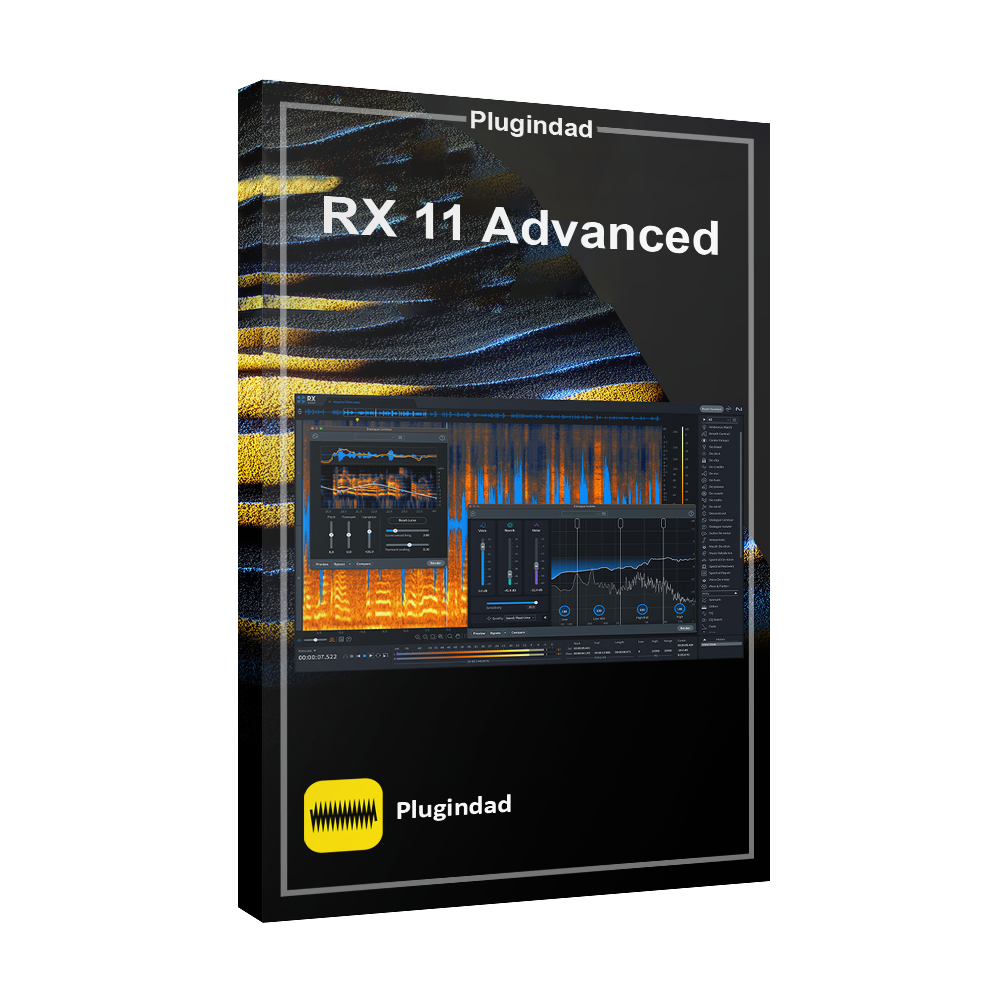
The spectral editing interface allows precise visual editing of sound frequencies.
Professional Audio Restoration
Restore damaged recordings and improve overall sound quality using advanced processing modules.
Integration with DAWs
The software works smoothly with major digital audio workstations for efficient professional workflows.
Key Features :
- RX 11 Breath Control – Smooth out harsh breaths for cleaner recordings
- RX 11 Dialogue Isolate – Isolate vocals from background noise, effortlessly
- RX 11 Music Rebalance – Separate music stems with industry-leading quality
- RX 11 Spectral De-noise – Eliminate unwanted noise with precise spectral editing
- RX 11 Repair Assistant – Smart, AI-driven suggestions for fast, effective fixes
- RX 11 Loudness Optimize – Ensure your track is loudness compliant for all platforms
- RX 11 De-click, De-crackle, De-plosive – Perfectly clean up clicks, crackles, and plosives
- RX 11 De-hum & De-wind – Get rid of hum and wind noise for a pristine recording
- RX 11 De-reverb – Remove unwanted reverb for clean, dry tracks
- RX 11 Spectral Editor & Audio Random Access (ARA) – Seamlessly integrate spectral repair inside your DAW
System Requirements
Before installing iZotope RX 11 Audio Editor Advanced, ensure your system meets the following requirements:
-
Windows 10 / Windows 11 or macOS
-
Minimum 8GB RAM recommended
-
Compatible DAW supporting VST, AU, or AAX plugins
-
Stable internet connection for installation
Meeting these requirements ensures stable performance when processing complex audio restoration tasks.
How to Use iZotope RX 11
Step 1: Install the Software
Download and install RX 11 Advanced on your computer.
Step 2: Import Audio File
Open the software and import the audio file you want to repair or edit.
Step 3: Identify Audio Problems
Use spectral view to detect noise, clicks, hum, or distortion.
Step 4: Apply Repair Modules
Apply tools like noise reduction, de-click, de-hum, or dialogue repair.
Step 5: Export Clean Audio
After editing, export the restored audio file for use in your project.
Why Professionals Trust RX
The RX audio restoration suite is developed by iZotope, a leader in professional audio technology.
Many audio engineers, film editors, and sound designers rely on RX software to repair damaged recordings and improve sound quality in demanding production environments.
Its advanced algorithms and precise editing capabilities have made RX an industry standard tool in audio post-production.
Download iZotope RX 11 Audio Editor Advanced
If you need professional tools for audio repair, noise reduction, and sound restoration, the RX 11 Advanced software provides a complete solution.
✔ Instant digital download
✔ Compatible with professional DAWs
✔ Advanced audio repair technology
Download iZotope RX 11 Audio Editor Advanced today and restore damaged recordings with professional precision.
What is iZotope RX 11 Audio Editor Advanced used for?
It is used for professional audio repair, noise reduction, and restoration of damaged recordings.
Is RX 11 Advanced good for podcast editing?
Yes. Many podcasters use RX software to remove background noise and improve voice clarity.
Does RX 11 work with all DAWs?
The software supports VST, AU, and AAX plugin formats compatible with most digital audio workstations.
Who makes iZotope RX software?
RX software is developed by iZotope, known for professional audio processing tools.
Can RX 11 restore damaged audio recordings?
Yes. RX provides advanced tools to repair clicks, noise, distortion, and other audio problems.















Nas –
User-friendly interface makes audio editing a breeze – I’m impressed with the results I’ve been able to achieve. Highly recommend for anyone in need of a powerful audio editing tool.
JamesBrown –
Loved the intuitive interface and powerful audio restoration tools, highly recommend for anyone needing professional-quality editing capabilities.
LilWayne –
This audio editing software has been a game-changer for me – the tools are powerful and easy to use, making it a must-have for any music producer.
50Cent –
Such a powerful tool for cleaning up audio recordings, couldn’t be happier with the results. Would definitely recommend to anyone working with sound editing.
Drake –
Really impressed with how well this audio editing software cleaned up my recordings, definitely worth the investment.
KendrickLamar –
This audio editor has been a game-changer for my recordings, fixing issues effortlessly with every use. Would highly recommend to any musician or podcaster.